Our client, a Germany-based provider of healthcare software, develops digital solutions to support clinics and medical practices.
Problem
Many healthcare providers still rely on legacy systems that are incompatible with modern digital solutions.
This integration issue often causes inefficiencies and difficulties in data transfer, increasing the workload for medical professionals.
Issuing prescriptions is a recurring task performed multiple times a day. Complex processes slow down physicians and increase their cognitive load.
Objectives
The goal was to develop an e-prescription system that complies with KBV and gematik requirements, aligns with physician workflows, and expands our client’s healthcare software portfolio.
Project Scope
Product Discovery
Legal & Compliance Analysis (KBV, gematik, GDPR)
User Research & Stakeholder Interviews
Analysis of User Pain Points
Information Architecture
System Scope Definition
Design
UI-Design
Design System (Custom Component Library)
Rapid Wireframing & Prototyping
UX Optimization (Prescription Issuance, Printing, Drug Search)
Designing systems for the healthcare sector requires a deep understanding of medical workflows and practices, as well as adherence to strict regulatory requirements.
Balancing Compliance and User Experience
KBV Accessibility Guidelines
Offline Functionality Requirements
Challenge:
Challenge:
Challenge:
Healthcare software must meet strict KBV (National Association of Statutory Health Insurance Physicians) requirements, including mandatory data fields, complex medication labeling, and accessibility standards.
Accessibility requirements affect both digital and printed outputs. Consistent presentation across various screen sizes and paper formats is necessary. This requires a WCAG-compliant design with a focus on readability and visual hierarchy.
KBV mandates that medical software must enable physicians to issue prescriptions even without an internet connection. This ensures uninterrupted patient care while guaranteeing secure synchronization once the connection is restored.
100%
of medical professionals report burnout, with usability challenges playing a significant role.
Source: Definitive Healthcare and Vocera Communications
100%
state that documentation in PMS/HIS is a major cause of cognitive overload.
Source: Definitive Healthcare and Vocera Communications
100%
of alerts are ignored, with approximately 40% considered clinically inappropriate.
Source: Journal of the American Medical Informatics Association
User Stories
„My patient has allergies – I need to ensure the medication is safe for them.“
„The patient is taking multiple medications – I need to check for drug interactions.“
„I need to find alternative medications and ensure they are compatible with existing treatment.“
„I care for a patient with a chronic condition who comes in for monthly check-ups. I need to ensure the therapy remains effective and adjust the medication if necessary.“
Scenario 1
A physician issues an e-prescription. Everything seems correct, but an unknown error occurs during confirmation. Perhaps there is no internet connection or the external system is unavailable.
→ The system displays an error message and offers two options: The faulty e-prescription can be discarded or alternatively issued in paper form.
Scenario 2
A patient visits the doctor. She has never been pregnant before. The doctor scans her medication plan but wants to update her medical data and document her current pregnancy.
→ The system must provide a decision point during the medication plan import, allowing the physician to choose whether to update or modify the existing patient data.
The 5-Why Analysis
The root cause of adoption barriers lies in the mismatch between compliance-driven design and user-centered workflows.
1. Why do physicians have difficulty adopting e-prescription systems?
The systems are often too complex and require too many steps for routine tasks such as issuing prescriptions.
2. Why are the systems too complex?
They must comply with strict legal requirements that add multiple layers of functionality and processes.
3. Why do legal requirements lead to complexity?
German healthcare regulations, defined by gematik and KBV, require specific steps such as offline functionality, paper print compliance, and detailed documentation standards.
4. Why do these requirements not align with physician workflows?
Physicians must satisfy rigorous legal requirements, which adds multiple layers of functionality and processes.
5. Why is user experience not prioritized in the design process?
Developers and product teams focus heavily on meeting regulatory standards to ensure certification, often at the expense of user research and the integration of feedback.
Key Features
e-Signature
Securely sign prescriptions digitally – compliant and without extra steps.
Intelligent Printing
Decide which prescriptions to print, group them by type (e-prescription or paper), and review them in advance via preview.
Treatment Plan
View and manage a patient’s long-term medication to ensure consistency and avoid conflicts.
Medication Search
Find medications quickly – with detailed information, price comparison, and availability overview.
UI Design
Medication Search
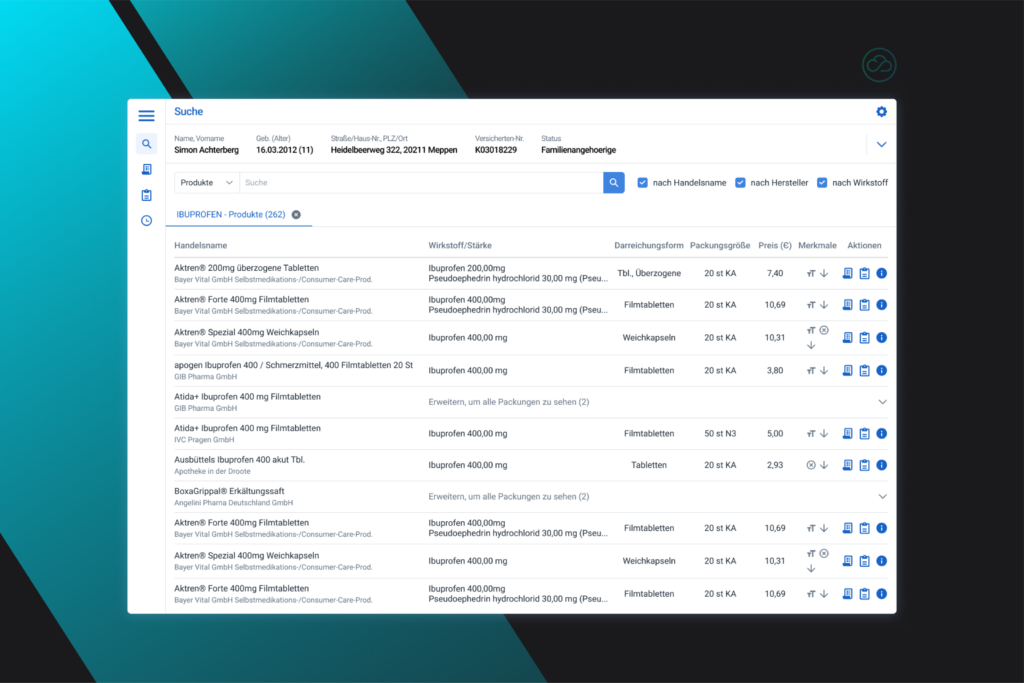
The physician can search for a medication by name, with results displayed in tabs to allow quick access to previous searches.
Medications can be added to prescriptions or medication plans with a single click.
The tabular interface facilitates the comparison of medications based on legally required characteristics.
Search Modes
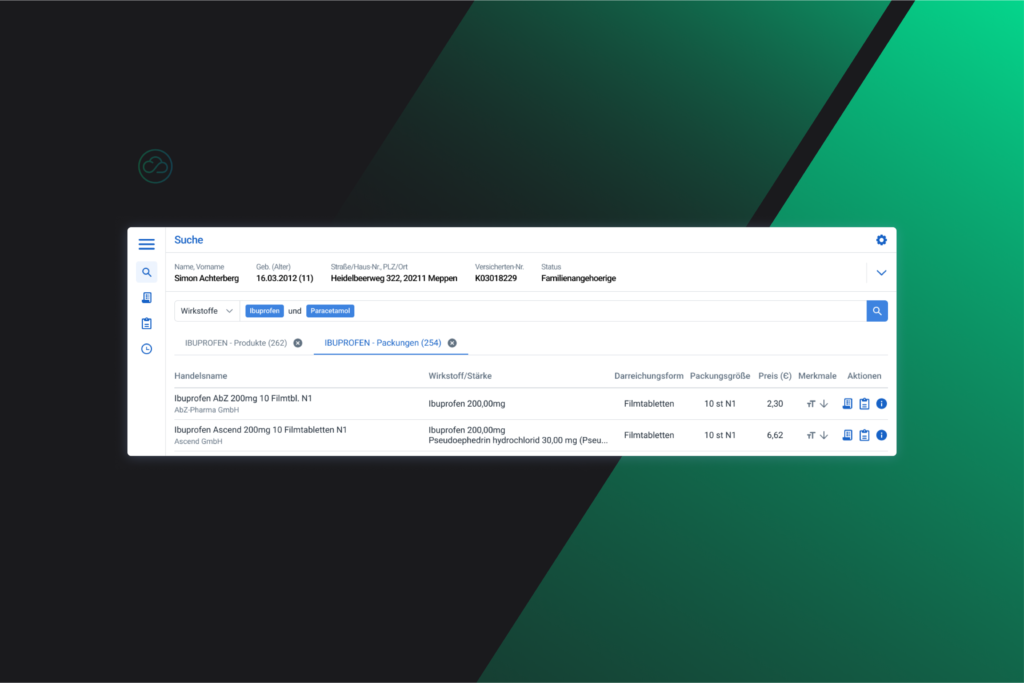
The medication search includes advanced search functions that allow the user to perform logical queries.
Example:
Medication X AND Medication Y (both must apply)
e-Prescription
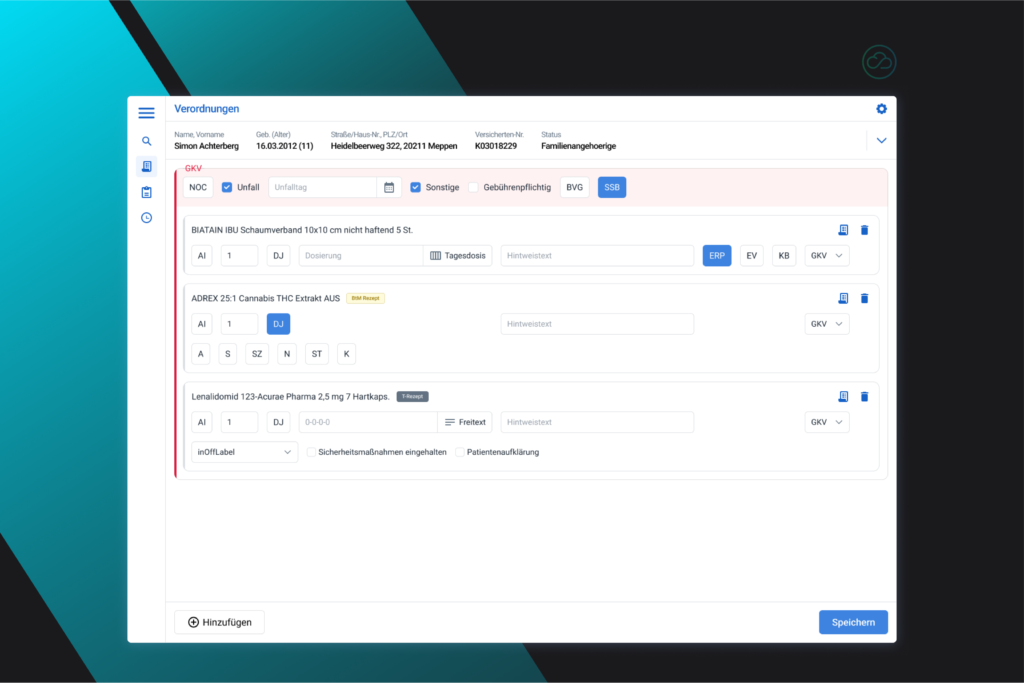
The physician can combine all prescribed medications into a single prescription.
They have the flexibility to define dosages in various formats and adjust them as needed.
„eRP” stands for e-prescription.
However, not every medication can be issued as an e-prescription.
The layout is based on the classic paper prescription, retaining the header colors to maintain familiarity.
Compounding (Individual Medication)
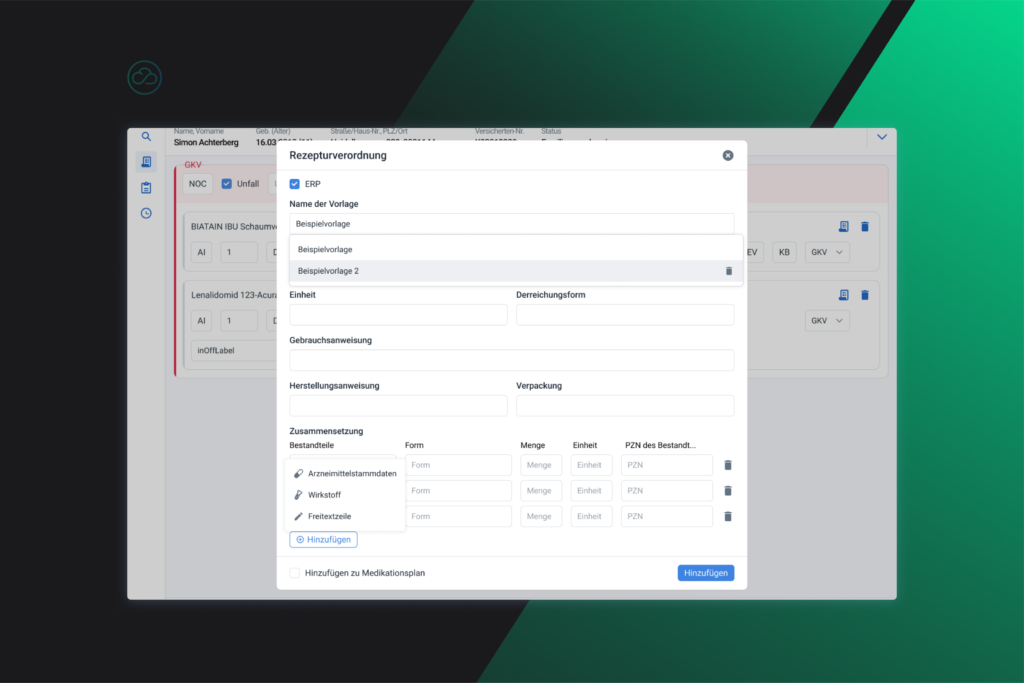
For individual compounds, the physician can create custom medications by specifying ingredients, dosage, dosage form, and other parameters.
The system allows for full customization, ensuring the formulation is precisely tailored to the patient’s needs.
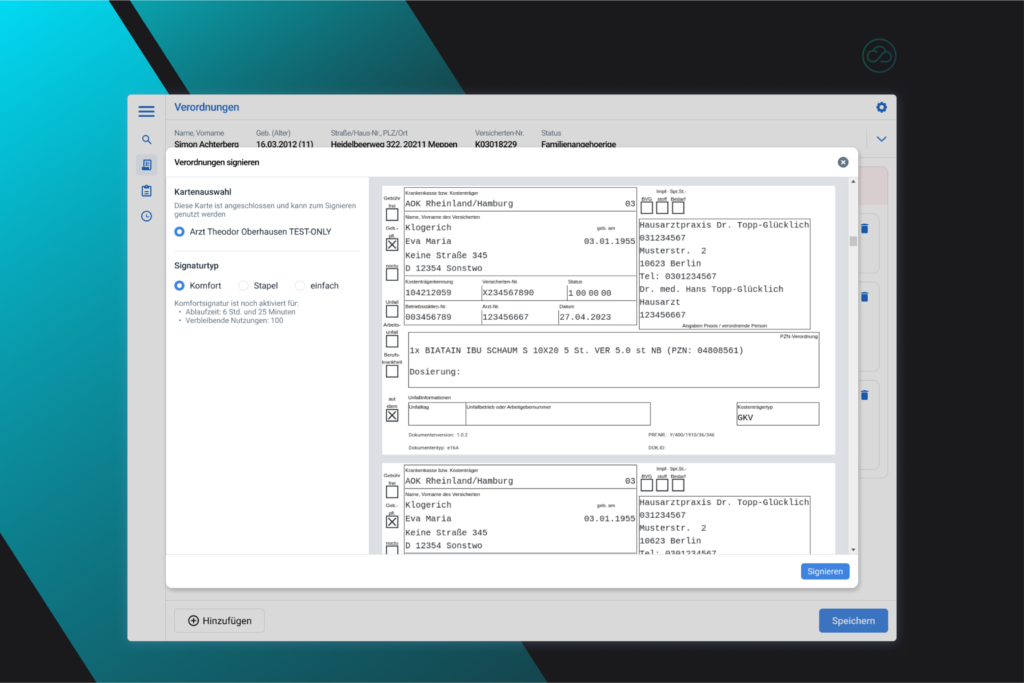
e-Signature
The e-signature is an essential feature for physicians, as it allows them to authorize prescriptions securely without physical documents.
Physicians can digitally sign multiple prescriptions in a single step, which increases efficiency and ensures that all issued prescriptions meet the highest security and authentication standards.
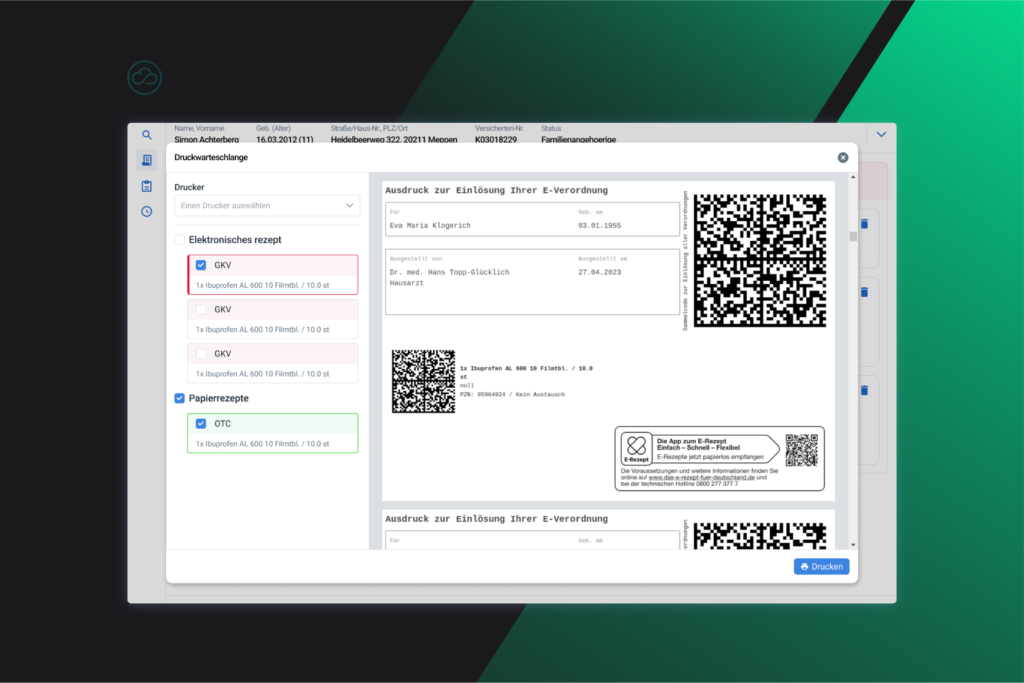
Intelligent Printing
The printing mode enables physicians to manage prescription printing efficiently by offering flexible options tailored to different prescription types.
Physicians can preview prescriptions before printing to ensure accuracy and completeness and to minimize errors.
Furthermore, the batch printing function enables the simultaneous printing of multiple prescriptions, which saves time and optimizes the workflow.
If a problem occurs, such as a paper shortage or a printer error, the system provides clear notifications and allows for easy re-printing of the affected documents.
Do you have an idea you want to bring to life?
We look forward to hearing your ideas – let’s schedule a meeting!